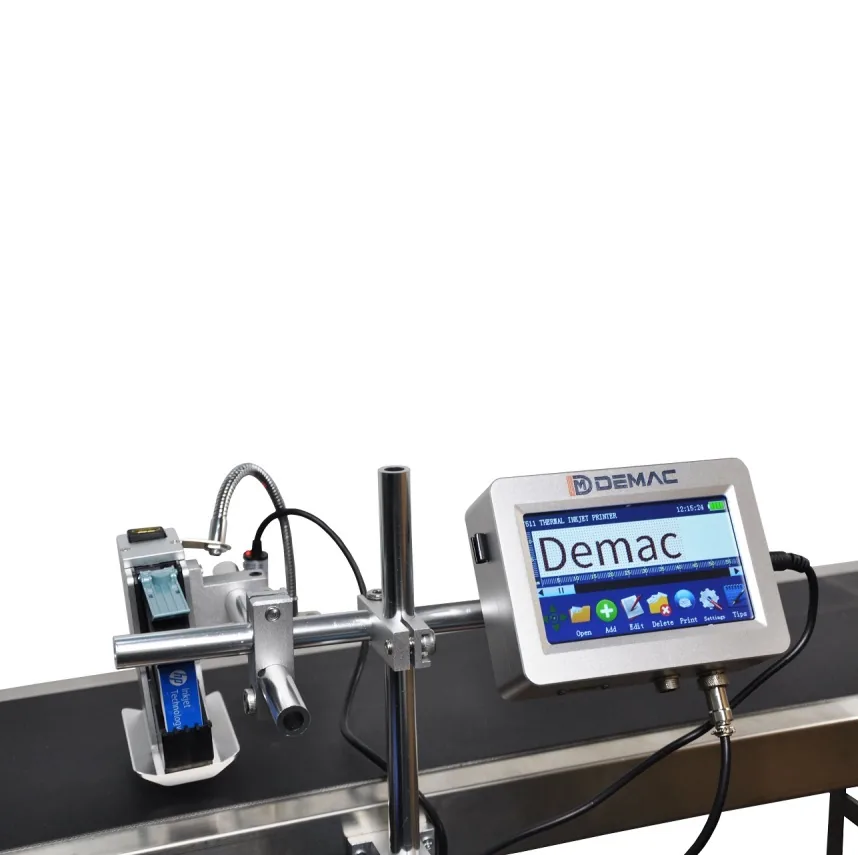
Thermal inkjet printers
High-resolution TIJ print for cartons, labels, sleeves, QR codes and barcodes.
View details →High-resolution inkjet printers for batch, expiry, QR and barcode print on labels, sleeves, cartons and flat packaging surfaces.
Labels and sleeves are often good candidates for thermal inkjet because the surface can be presented consistently and the code can be printed at high resolution. The system must still be matched to the material coating, print speed, print distance and barcode or QR code readability requirement.
| Typical products | Labels, sleeves, cartons, trays, pouches and flat pack panels |
|---|---|
| Common print | Batch, expiry, product ID, QR code, barcode, serial and simple logos |
| Recommended checks | Label coating, print distance, line speed, barcode grade and data source |
| Related options | Thermal inkjet printers, QR code printers and carton coding |
The same printed code can need a different machine depending on speed, distance, product control, ink adhesion and pack movement. These checks help narrow the options before testing.
Send it with your enquiry so the coder type, bracket position, print head access and ink choice can be reviewed properly.
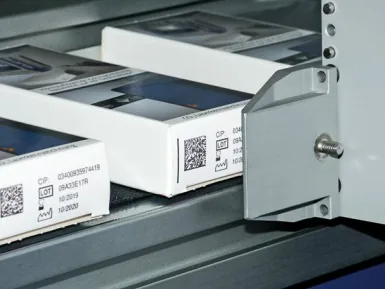
Compare related coder types, applications and specification guidance.
High-resolution TIJ print for cartons, labels, sleeves, QR codes and barcodes.
View details →High-resolution variable data, QR code and barcode printing for packaging.
View details →Inkjet carton coding for retail cartons, shipping cases and outer boxes.
View details →Send pack photos, code artwork, material, speed, code position and available line space. Lancing can then advise on the most suitable inkjet coding route.
Tell us what you need to code and where the coder has to fit on the line.
Labels and sleeves offer a controlled print surface, but the correct coding point depends on material movement, application accuracy and whether variable data must be verified before the pack leaves the line.
Coding before application can provide a flat surface and stable gap. Define label-web speed, registration, backing-liner support and the distance to the peel plate or applicator.
Coding the applied label ties the print to the finished product, but bottle curvature, label wrinkles and placement variation may reduce consistency.
Confirm whether the code is printed before shrinking or onto the finished sleeve. Heat can distort print or move the code, so test the complete shrink process.
| Variable | Question to resolve |
|---|---|
| Material | Paper, coated paper, synthetic label, clear film, shrink sleeve or foil; exact supplier reference required. |
| Print side | Top surface, reverse print or protected layer; confirm ink access and product-contact boundaries. |
| Registration | Does the printer follow a label sensor, registration mark, applicator cycle or encoder? |
| Data control | Is one message used per roll, per batch or per item, and how is it linked to the applied label? |
| Inspection | Check presence, text, OCR, barcode read or formal verification before or after application. |
Allow for label curl, web flutter, splice tape, backing-liner edges and product contact. The head mount should maintain the approved gap without becoming a collision point. Downstream rollers, brushes and applicator pads must not rub wet ink.
For pre-printed labels, include the darkest and lightest artwork versions in the trial because background colour affects contrast.
Where the task is to print and physically apply a complete variable label to a carton, case or pallet, the specialist print-and-apply route is better covered by Lancing's dedicated labelling sites. This inkjet site should remain focused on direct inkjet marking and integration around it.
Use direct inkjet when the label or sleeve itself is the substrate and an applied label is not required.
Yes where the face stock and coating accept the selected cartridge and the web is supported at the correct distance. Test the exact label construction.
Yes. The printer can be mounted on the label web or feeder where registration, speed and mounting allow it. Define how the correct printed label is associated with the product.
It depends on ink, sleeve material, shrink ratio, heat and code position. Run the full shrink process and inspect distortion, contrast and adhesion.
Contrast depends on the product or backing visible through the label. An opaque ink or a printed background panel may be needed, subject to compatibility testing.
The final applied condition is normally the most relevant because curvature, wrinkles and placement can affect scanning. Upstream inspection can still help control print creation.
Send label or sleeve rolls, finished packs and the applicator or packaging-machine details.
Review label or sleeve coding