Barcode and 2D code verification for inkjet printing
Define whether the project needs a simple read, online inspection or formal verification, then connect the result to the correct line response.
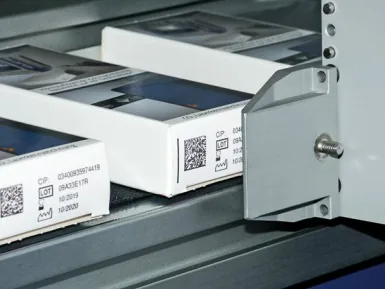
A scanner, a vision system and a verifier do different jobs
A successful read confirms that one device decoded the symbol under its conditions. Online vision can check every pack for presence, content and position. Formal verification measures print-quality parameters against the applicable standard and reports a grade. The user requirement should state which level is needed rather than using the word “verification” for all three.
| Method | Typical purpose | Important limitation |
|---|---|---|
| Handheld or fixed scanner | Confirm that the encoded data can be decoded. | Does not by itself provide a standards-based print-quality grade. |
| Online vision or code reader | Inspect every pack for missing, wrong, unreadable or misplaced codes. | Performance depends on camera, lighting, trigger, software and validated challenge samples. |
| ISO/IEC-compliant verifier | Measure defined linear or 2D symbol-quality parameters and issue a report. | Normally samples production rather than controlling every pack online. |
GS1 states that GS1 DataMatrix print quality should be checked with an ISO/IEC-compliant verifier. Its guidance also distinguishes standards-based verification from ordinary scanning. See the official GS1 DataMatrix verification guidance.
What makes an inkjet barcode difficult to read?
Geometry
Incorrect size, missing quiet zones, stretched cells, print growth, poor edge definition or coding across a seam, curve or corner.
Optical contrast
Low contrast between mark and background, reflective packaging, coloured substrates, uneven lighting or transparent film over variable artwork.
Process variation
Changing throw distance, product movement, printhead contamination, ink condition, condensation, dust, wrinkles or speed-dependent distortion.
Approve the complete symbol at the least favourable condition
Use the smallest production symbol, maximum line speed, greatest permitted print gap and the most difficult approved pack colour or surface. Include downstream rub, cold or condensation where those conditions occur in normal production.
Connect inspection to product tracking and reject confirmation
The camera result is useful only when it is matched to the correct product and the line handles failures reliably. Define the distance from print to inspection, inspection to reject and reject to confirmation. Track product pitch through stops, gaps and speed changes.
Inspection result
Define good, no read, wrong data, missing code, poor position and camera fault as separate states where required.
Line response
Choose stop, reject, hold or alarm logic based on risk, product flow and the ability to confirm removal.
Evidence
Record counts, rejected images, reason codes, operator actions and any batch-level reports needed by the quality system.
| Challenge sample | Expected inspection outcome | Expected line action |
|---|---|---|
| No print | Missing-code fault | Reject or stop according to the approved risk assessment. |
| Wrong but readable data | Content mismatch | Remove the product and prevent continuation with the wrong job. |
| Deliberately damaged symbol | No read or quality failure | Reject and retain the image or result where specified. |
| Reject bin full or reject not confirmed | Reject-system fault | Stop or hold production so failed packs cannot continue. |
| Camera disconnected | Inspection unavailable | Apply the defined fail-safe response rather than silently bypassing inspection. |
Information to include in the verification specification
- Symbol type, data syntax, size, orientation, quiet zone and minimum quality requirement.
- Printer, ink, resolution, speed, throw distance and approved packaging materials.
- Scanner, camera or verifier model, software version, lighting and calibration arrangements.
- Sample frequency for formal verification and response to a failed sample.
- Online inspection fields, tolerances, reject logic, reject confirmation and record retention.
- FAT and SAT challenge samples, including wrong, missing, poor and duplicate data.
Provide the code standard, artwork, sample packs and required line response for an inspection review.
Discuss code verification